Build a website a local trade would pay for. In 7 steps, with no code.
You get a pre-filled project folder with the whole system already inside it. Type seven commands in order, Codex does the design and the code, and you finish with a live site on its own domain. Then do it again for the next business.
- One command per step
- Mac and Windows
- Free hosting
- Instant access










Why most people never get one live
AI can build a website. That's not the hard part.
The hard part is knowing what to ask for, making it not look generated, and getting it onto a real domain. That's where people give up, and that's exactly what the kit does for you.
The system
Open the folder. Everything's already in it.
Unzip one folder and open it in Codex. Every rule, step and checklist is already written, so you start on step one, not on a blank page. Each lesson ends with a "you're done when" check.
your-business-name/
├─ START-HERE.md      the 2-minute setup
├─ AGENTS.md          the rules Codex follows
├─ brand/
│   ├─ CHECKLIST.pdf    send this to the business owner
│   ├─ logo/            drop the logo here
│   ├─ photos/          real job photos only
│   └─ references/      2 or 3 sites you like
├─ mockup/            design images appear here
├─ site/              the website, ready to publish
├─ examples/
│   └─ truegrain/       a finished worked example
└─ .agents/skills/
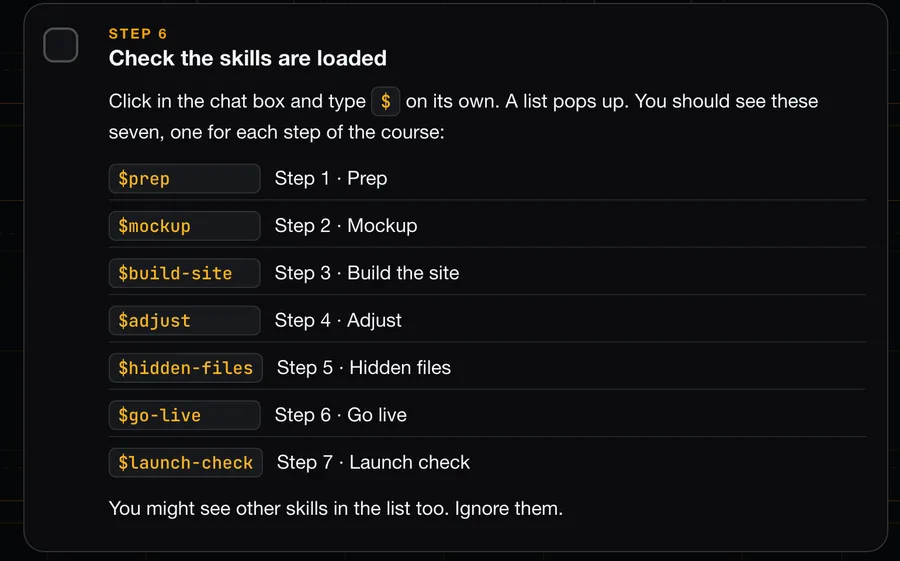
    ├─ prep  mockup  build-site
    ├─ adjust  hidden-files
    ├─ go-live  launch-check
    └─ taste  signature  impeccable
- 00
setup20 minTools
Codex, Node.js, free Cloudflare. Once.
- 01
$prep15 minBrief
Codex writes the brief from the business's details or its old site.
- 02
$mockup10 minMockup
A full-page design image first.
- 03
$build-site30 to 60 minBuild
Every page, matching the mockup.
- 04
$adjustyour paceAdjust
Your changes plus the design checks.
- 05
$hidden-files15 minGoogle files
Sitemap, titles, share image, privacy.
- 06
$go-live20 minGo live
Published and on its own domain.
- 07
$launch-check15 minLaunch check
Every button and page tested live.
Look inside
This is what you'll actually be working through.
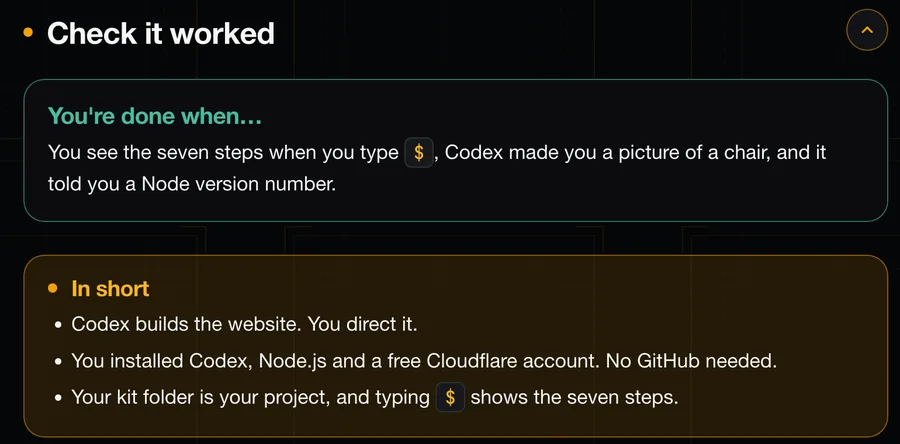
Every section is laid out the same way: a short video on the why, tick-box steps with the exact words to type, and a check that tells you the step worked before you move on.
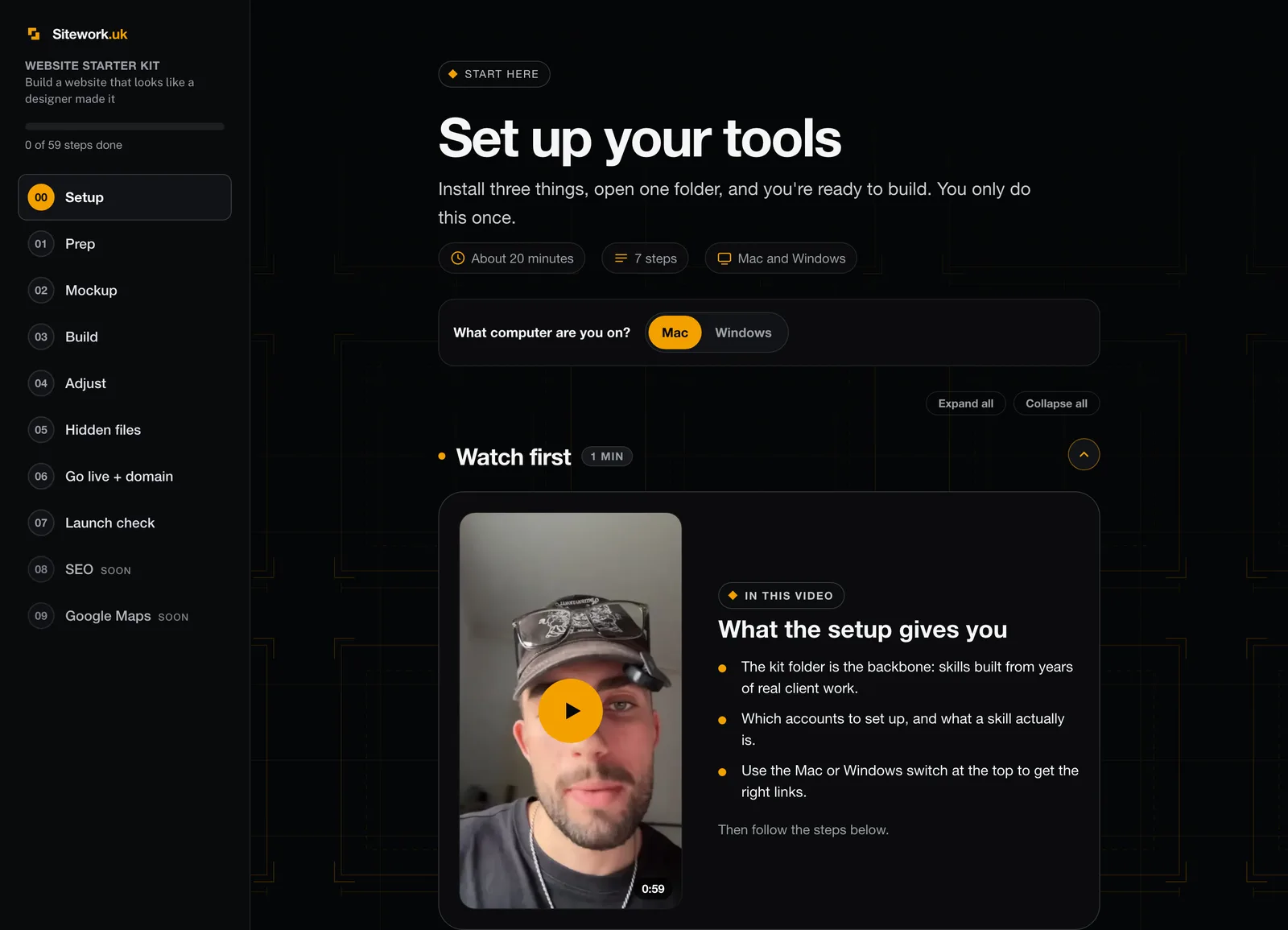
- 8 sectionsSetup to launch check, one at a time
- 59 tick-box stepsTick them off as you go
- Short videosThe why behind each section
- Mac and WindowsOne switch, the right steps for your computer
The offer
Everything you need to go from no website to live website.
The only things left for you to do are follow the steps and make the calls. No missing pieces to buy later.
- Core
The Pre-Filled Website Folder
The whole project, set up and ready: brief template, folders, rules and the order to work in. You never start from a blank page.
- Core
The 7-Step Codex System
Seven ready-made skills, one command each, from brief to launch check. No guessing what to type.
- Core
8 Step-by-Step Lessons
Written lessons with screenshots, short videos on the why, and a "you're done when" check at the end of each. Mac and Windows.
- Bonus 1
The "Not AI-Made" Design Pack
The taste, signature and impeccable skills plus a ten-point AI-slop checklist. The difference between a site that looks generated and one that looks designed.
- Bonus 2
The Client Intake Checklist
A PDF you send the business owner, listing every photo, fact and detail you need. No chasing them for weeks.
- Bonus 3
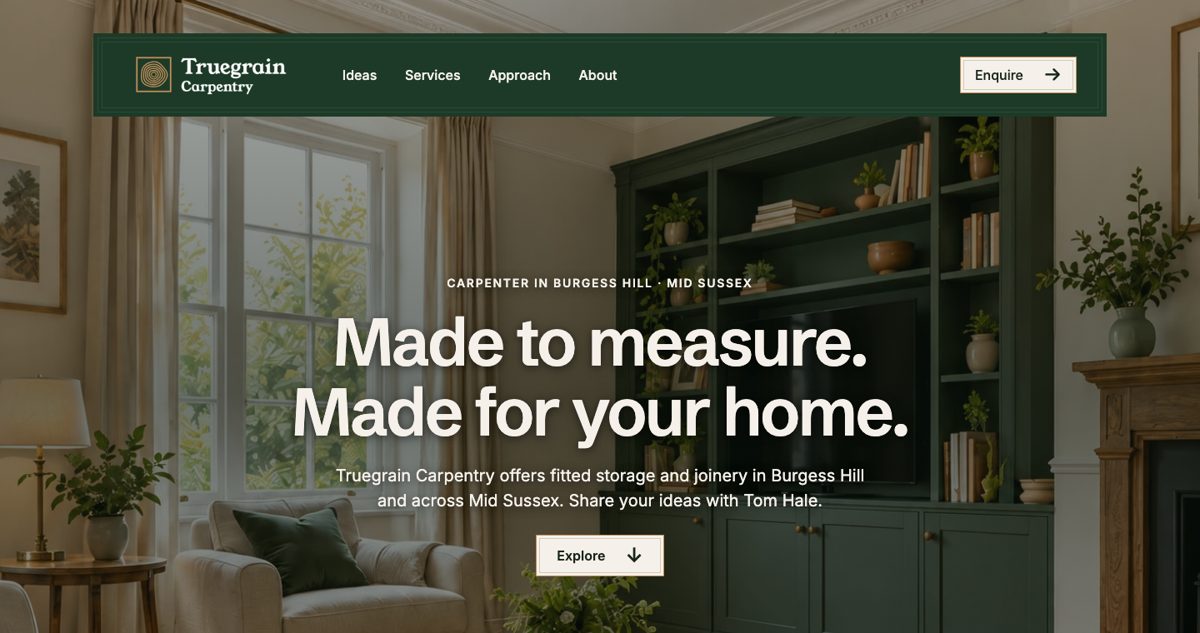
The Truegrain Worked Example
A complete multi-page trade site built with the kit, to study, copy and practise on. See the finish line before you start.
- Bonus 4
The Google-Ready Launch Pack
Sitemap, robots, llms.txt, 404, privacy page and share image, plus the live launch check. The behind-the-scenes files most DIY sites skip.
Founding price, first 7 only
One payment. Then £97 once the 7 founding spots are gone.
Claim a founding spotWho made it
I build these for a living. The kit is how I do it.
I'm Jacob. I run Sitework, where I design and build websites for UK trades by hand and keep them ranking. There are 14 live sites online now, client websites and my own publications, including builders, an electrician, a gardener and a removals company.
Every rule in this kit comes from that work. The brief-first order, the mockup before the build, the launch check on the live site: it's the sequence I use with clients, turned into something a beginner can run with Codex doing the heavy lifting.
Four rules built into every step
- Nothing made up.No fake reviews, no "20 years' experience" unless it's true. Codex refuses, on purpose.
- Photos are honest.Generated images show the kind of work. They're never labelled as the business's own jobs.
- Enquiries go straight to the business.Call, WhatsApp and email buttons, so the customer reaches the owner directly.
- Nothing goes public without a yes.Codex asks before publishing, every time.
Is it for you?
Built for beginners who want to build for local trades
This is for you if
- You want to build websites for plumbers, builders, electricians and other local trades
- You've never coded and don't want to learn
- You want a repeatable process, not a pile of tips
- You're happy to follow steps and judge the results
Not for you if
- You want to learn to write code by hand
- You won't pay for ChatGPT Plus, which Codex needs
- You want guaranteed income. The kit builds sites, it doesn't find you clients
- ChatGPT Plusmonthly, for Codex
- Domain nameabout £10 to £15 a year
- Cloudflare hostingfree
- Node.jsfree
- A laptopMac or Windows
That's the full list of running costs. Nothing else to buy.
Questions
Anything else, email jacob@sitework.uk.
Do I need to know how to code?
No. Codex writes the code. You give it the business facts, judge the designs and run each skill in order. The lessons show you what to type and what you should see.
Will the sites look AI-made?
A first build from Codex does tend to look generic. That's why the kit includes the design pack: a ten-point checklist and skills that give every page its own layout and strip out the generated look.
How long does one website take?
The steps run from about 10 minutes to an hour each, and setup is once, about 20 minutes. Your first site takes longer while you learn the flow. The next one is quicker, because you're just repeating the steps.
What do I need to buy first?
ChatGPT Plus, to use Codex, and a domain name when you're ready to go live, about £10 to £15 a year. Hosting on Cloudflare, Node.js and everything in the kit is free or included.
Can I build for real businesses, or only practise?
Both. Practise on the Truegrain example or an idea of your own, then use the same steps for a real trade business, yours or someone else's. For a real one, you use their real facts and photos; the kit won't invent them.
How do I get access after paying?
Straight after payment you can open the course, and a sign-in link is emailed to the address you paid with. No password: on any device, sign in with that email and we send you a link.
What happens when the 7 founding spots are gone?
The price goes back to £97. The counter on this page is live, so what you see is what you pay at checkout.
Mac or Windows?
Both. The setup section has a switch at the top so you get the right links and steps for your computer.
Can I cancel?
You can ask for immediate access at checkout, and if you do, the 14-day change-of-mind right ends once access begins. That's explained before you pay. Your other legal rights, for example if something isn't as described, still apply. See the course terms.
Founding offer
Get the folder. Run the seven steps. Get a site live.
- Pre-filled folder
- 7-step Codex system
- 8 lessons
- 4 bonuses
- Instant access
7 founding spots at 80% off, then £97.